Rawy Story Writer
A downloadable tool for Windows and macOS
Write stories. Build worlds. Keep everything connected.
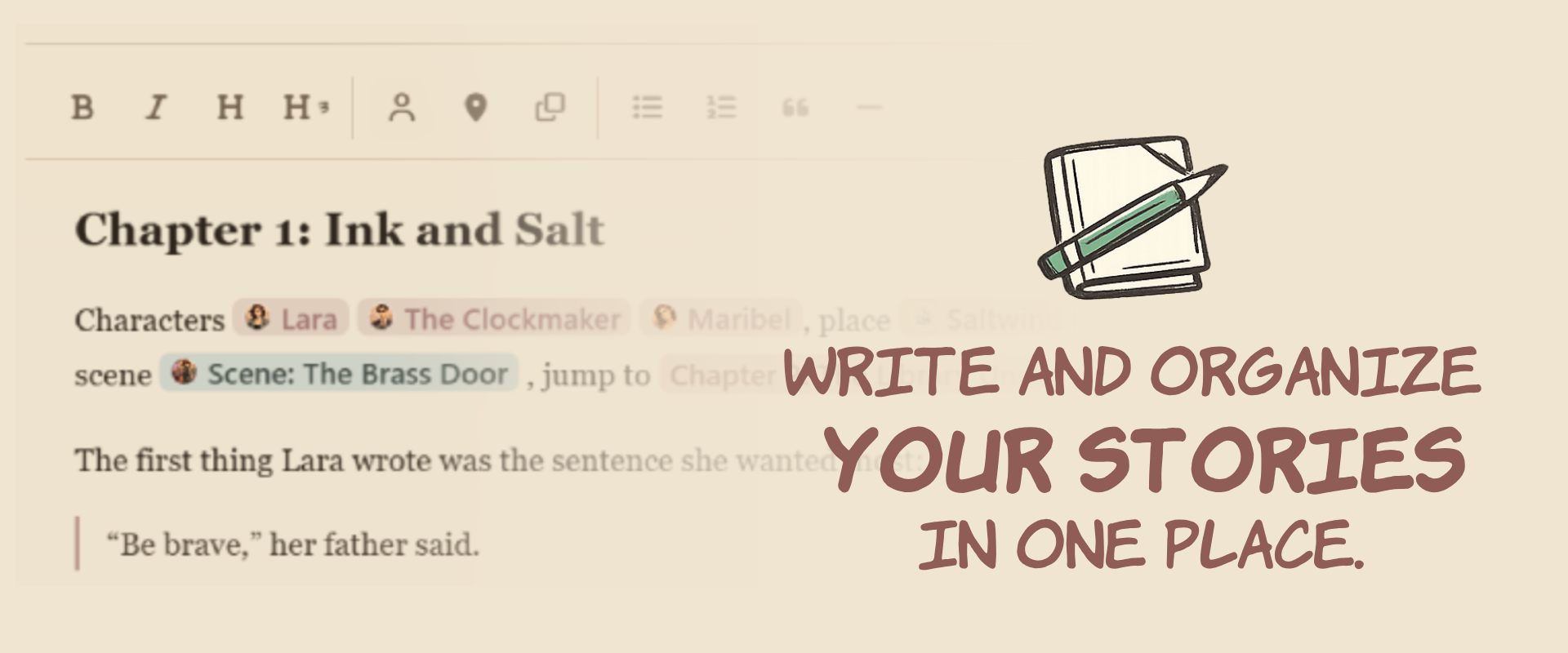
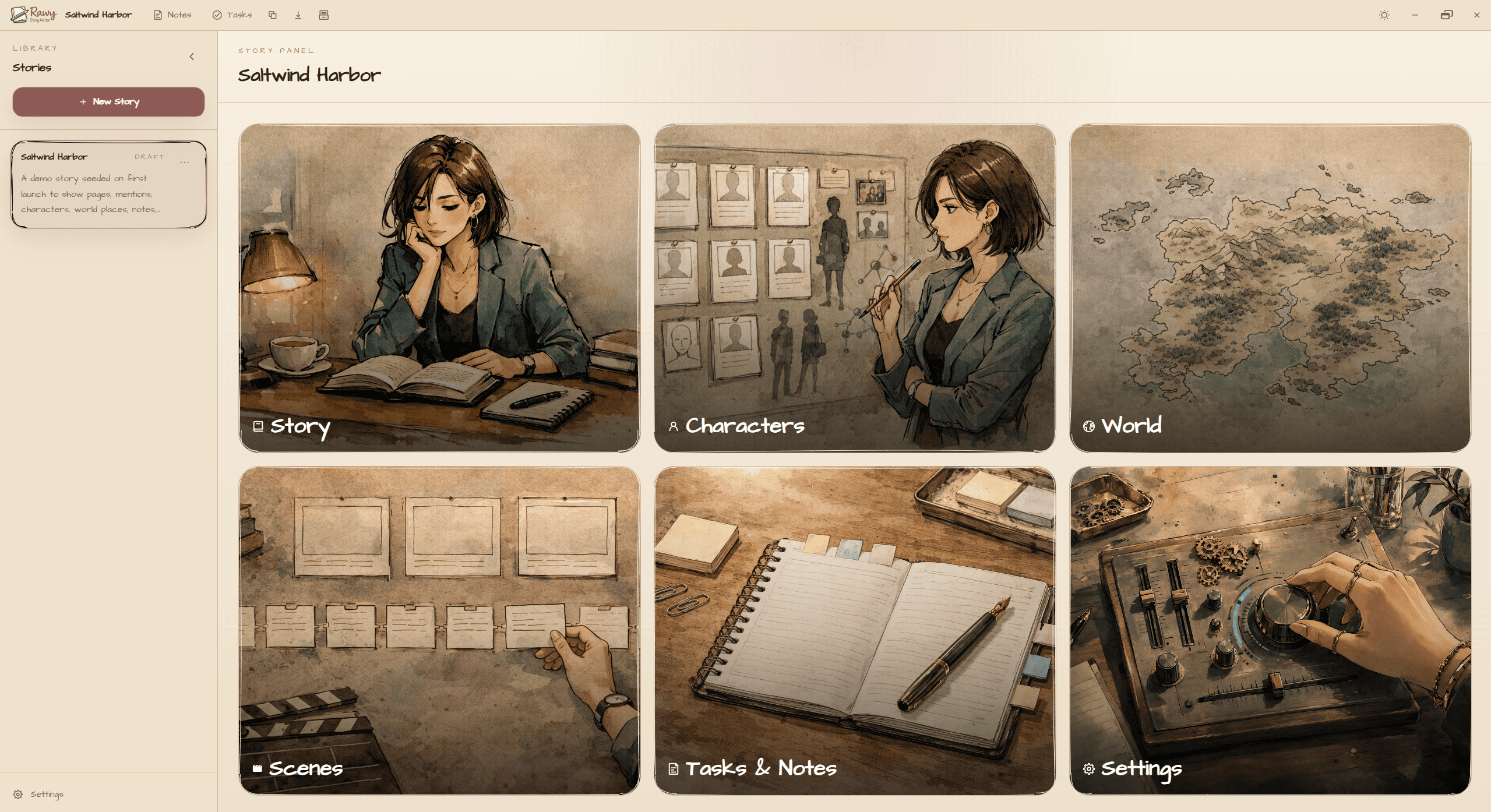
Rawy is a local-first desktop story writing tool designed for writers who want structure without losing flow. Draft your story, track scenes, develop characters, map locations, and keep notes + tasks linked to the exact things they belong to (all while your work stays on your device).
Why you’ll love it
- Local-first autosave: every keystroke is saved locally to your device - no accounts, no cloud required.
- Distraction-free writing + real structure: write pages, organize story parts, and keep your story bible right next to your draft.
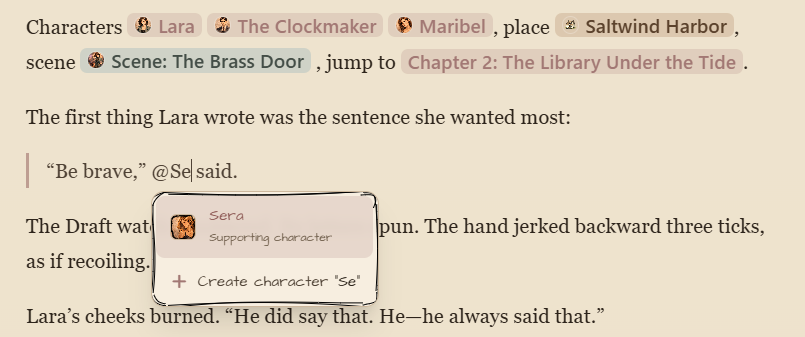
- Fast referencing while writing: mention characters, places, scenes, and story pages and get helpful hover previews.
Core features
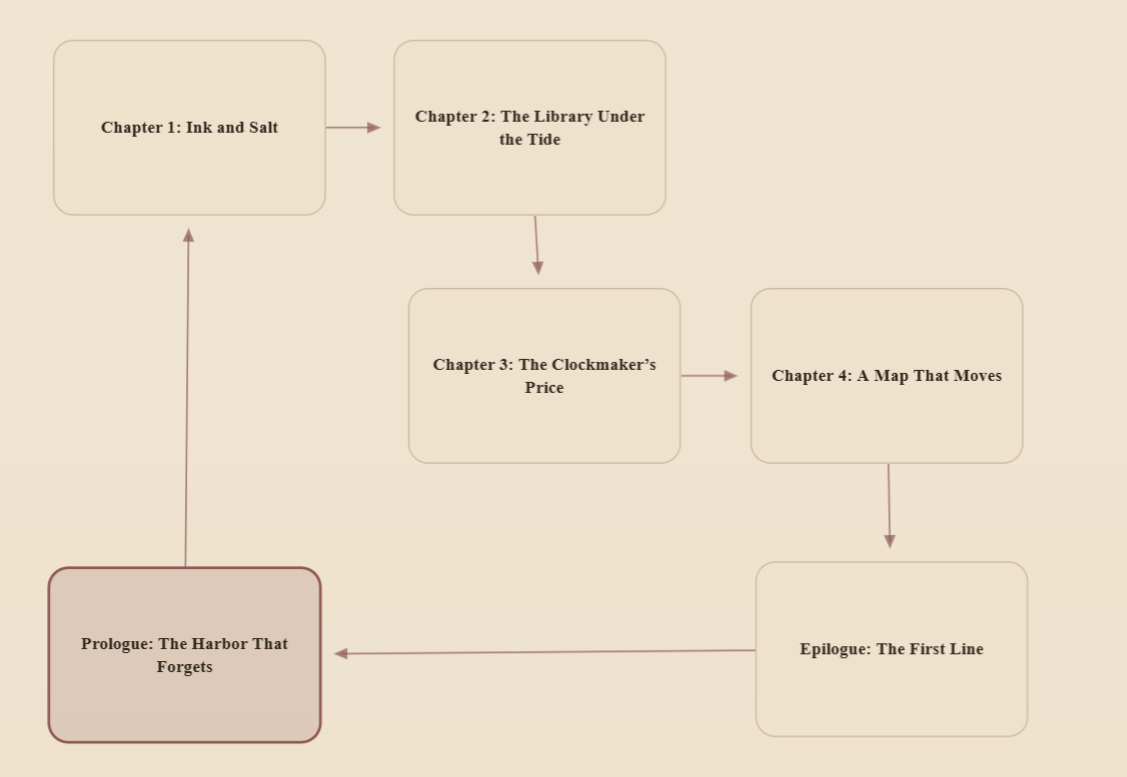
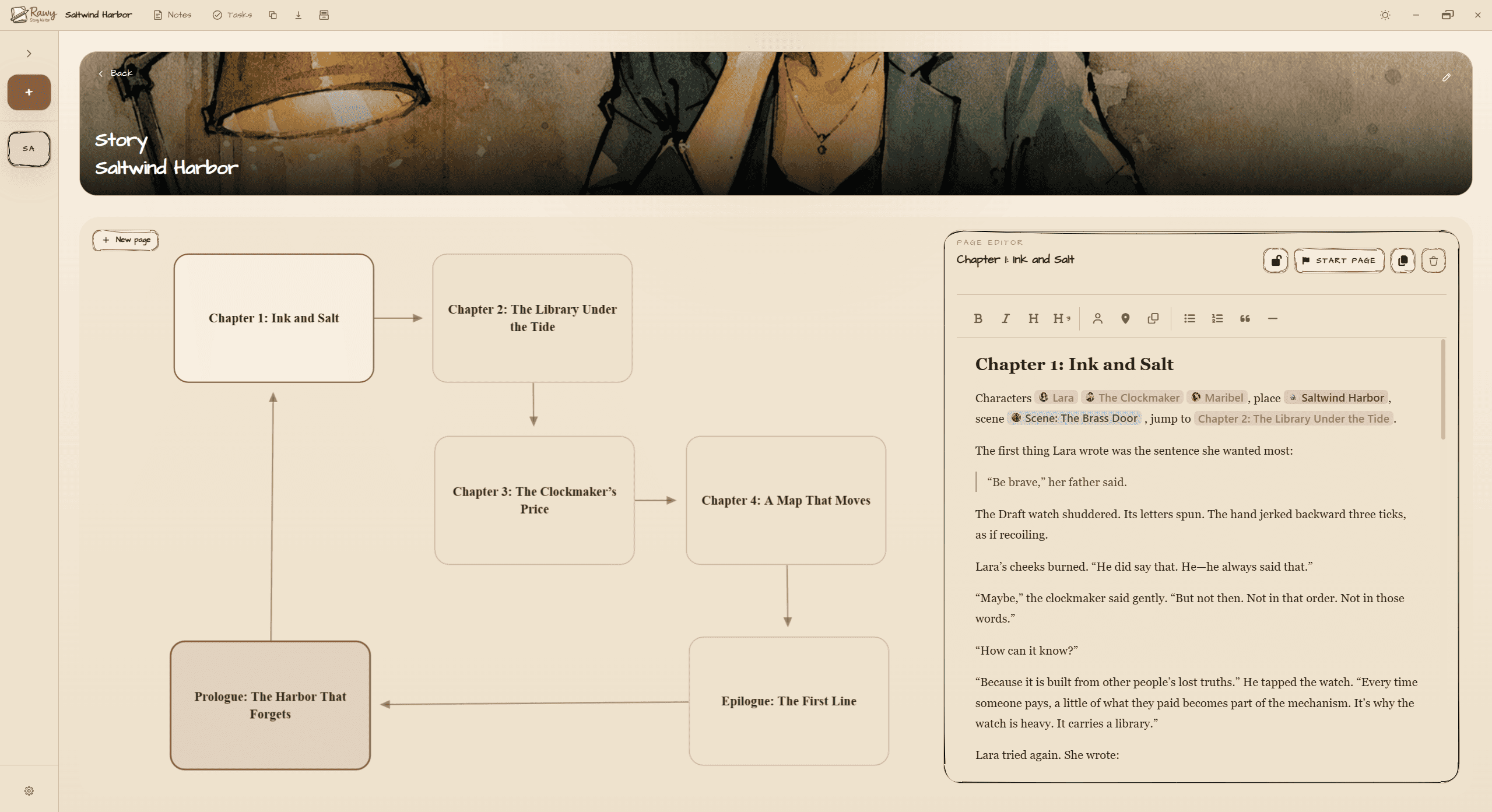
Story Pages + Branching Board
- Create and manage story pages with a clean editor.
- Visualize your story in a canvas board (cards + connections) to plan branching paths and structure.
- Search pages quickly and jump where you need.
Rich Text Editor (built for drafting)
- Formatting tools: bold, italic, headings, lists, quotes, and horizontal rules.
- Insert smart references to characters, places, scenes, and story pages.
- Hover previews help you stay in flow without hunting through menus.

Characters (profiles + relationships)
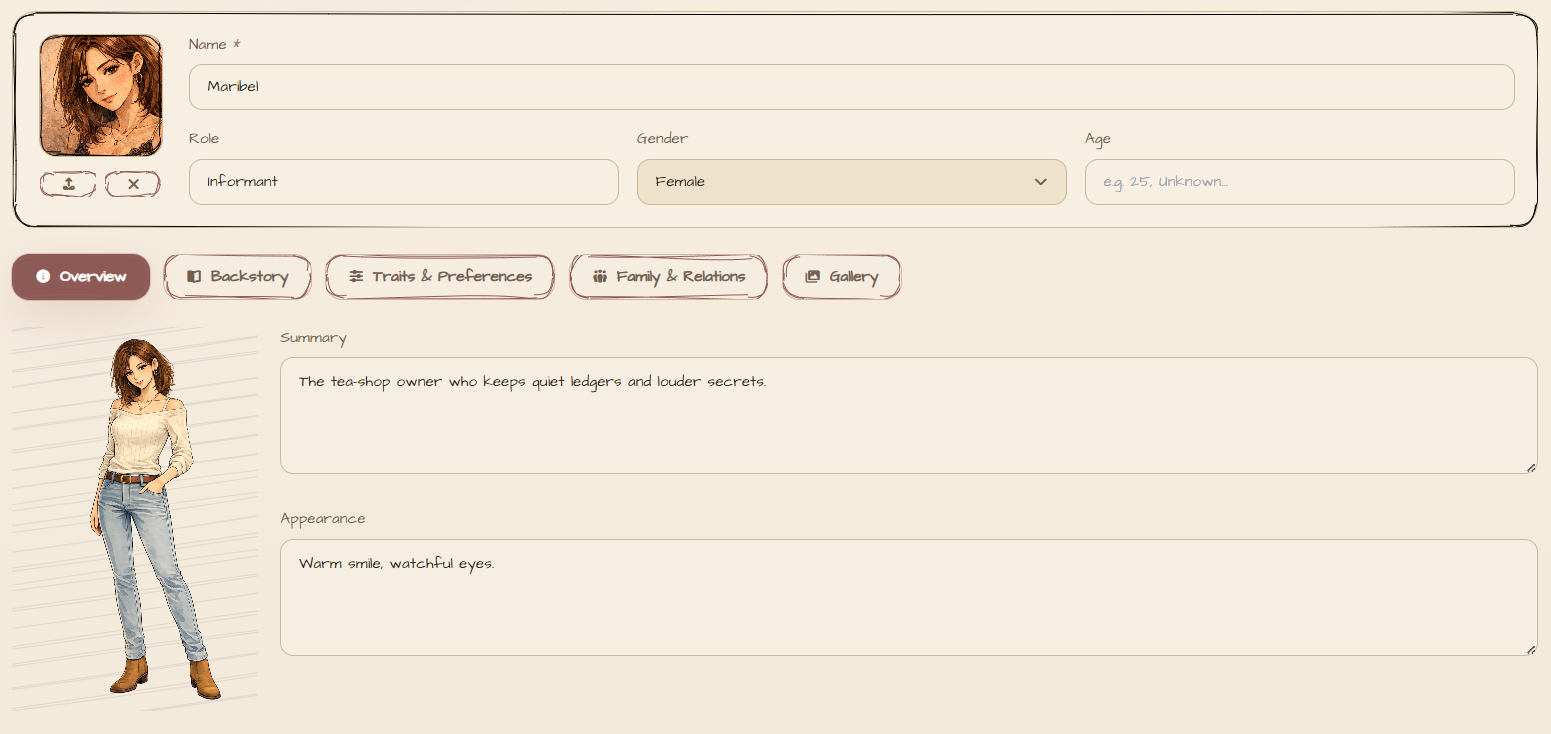
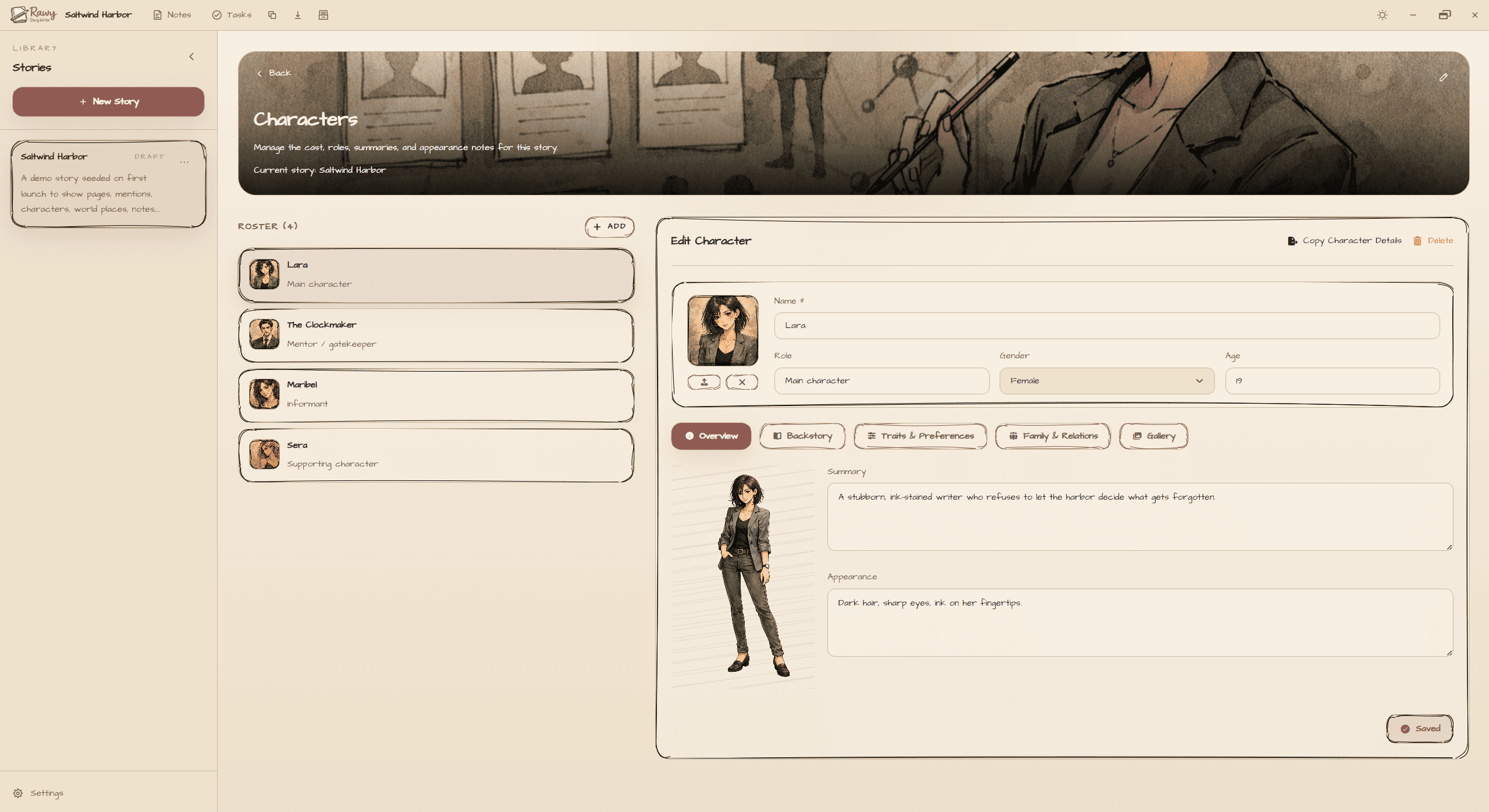
- Build character sheets: role, gender, age, summary, appearance, backstory, likes/hates, and more.
- Track relationships between characters (customizable relationship options).
- Add images: profile, full pose, and a gallery.
- Sensitive images protection: mark images as sensitive and keep them blurred unless you choose to reveal them.
- Quickly copy character details when you need to share or paste elsewhere.
Worldbuilding (places + visual layout)
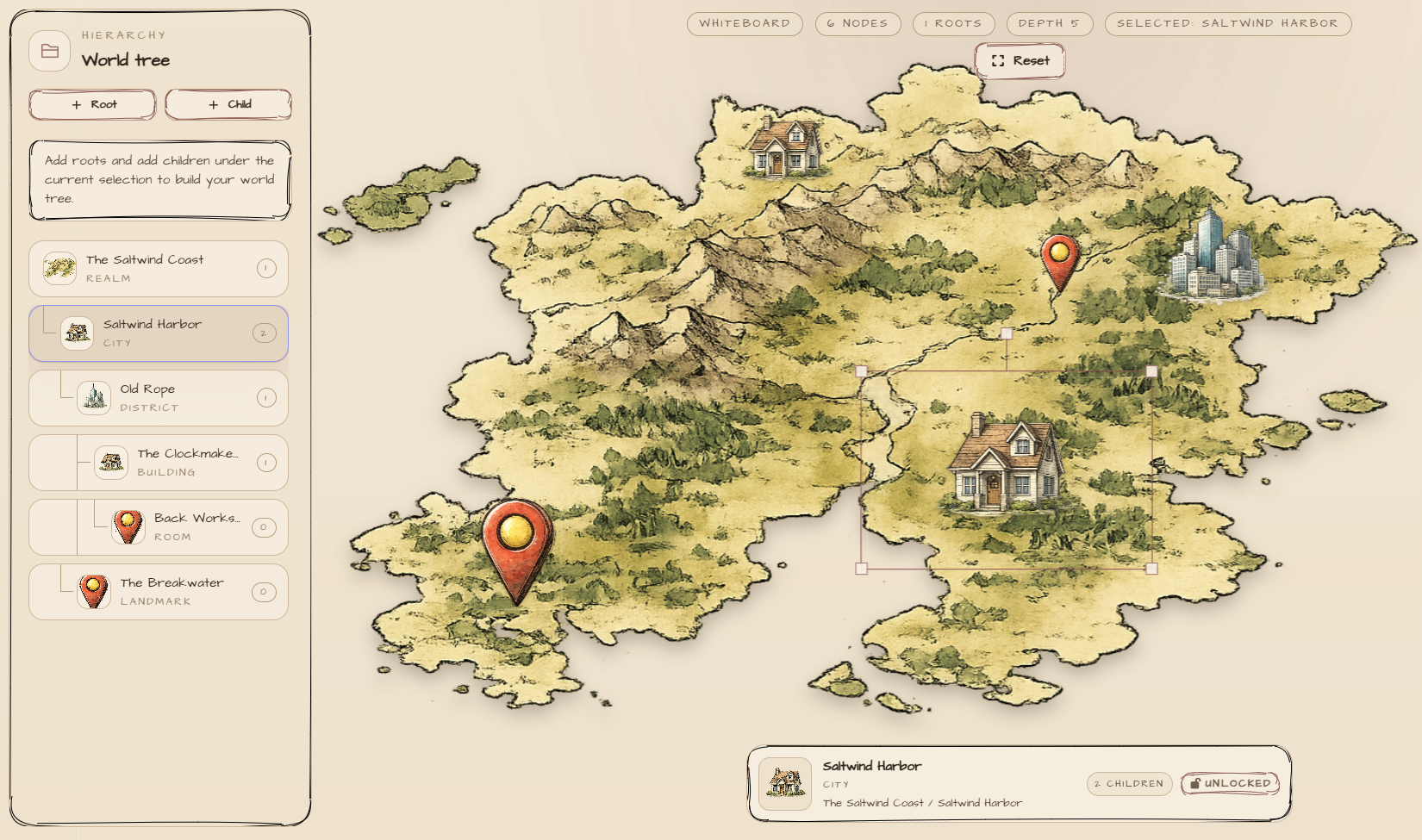
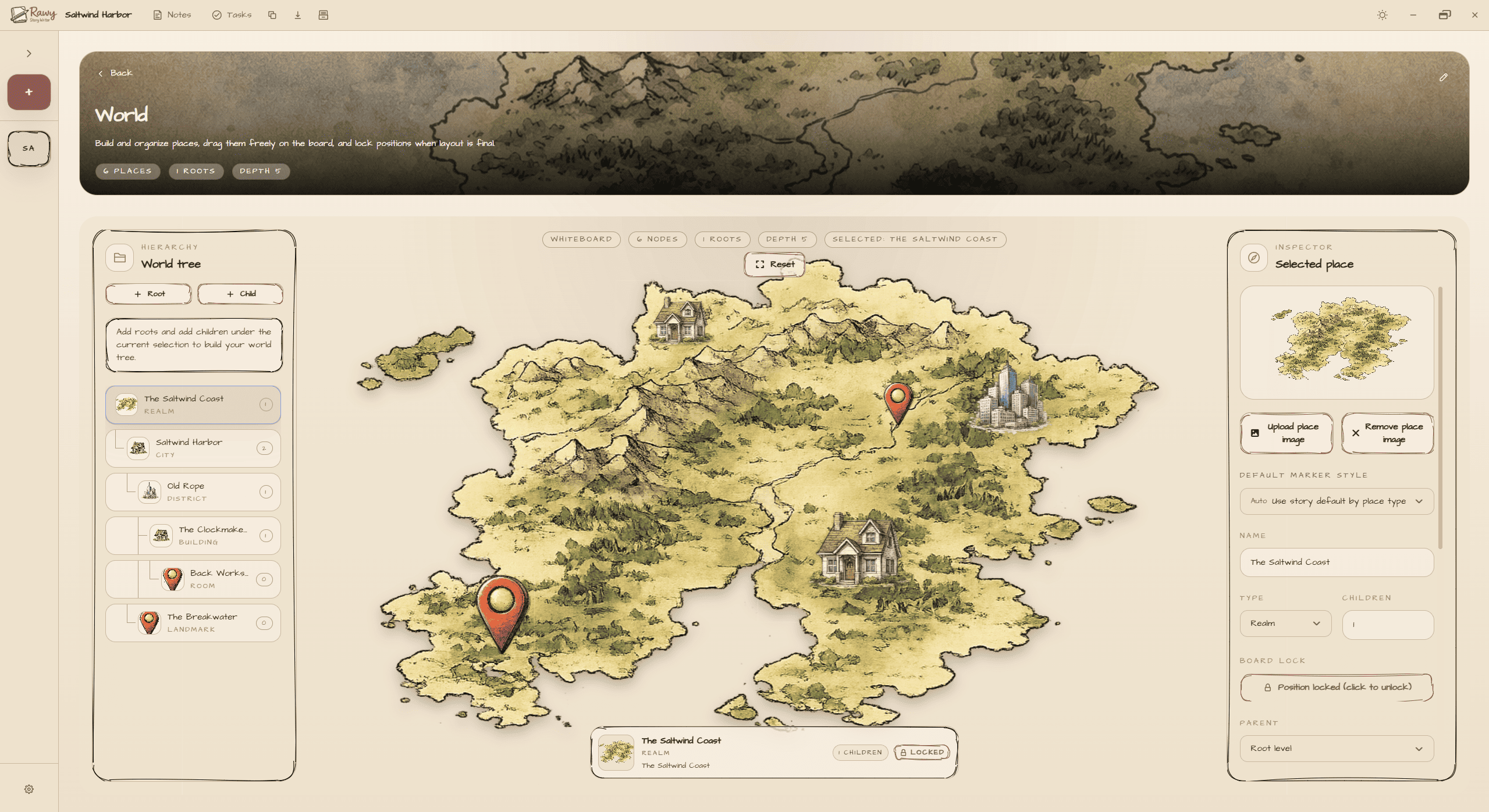
- Create places with types (realm, continent, region, city, building, room, landmark, custom).
- Organize locations with parent/child hierarchy and breadcrumbs.
- Use a world board to visually place and arrange location markers/images (move, rotate, scale, lock).
- Customize place type labels and default place marker images for your story’s style.
Scenes (structure you can actually use)
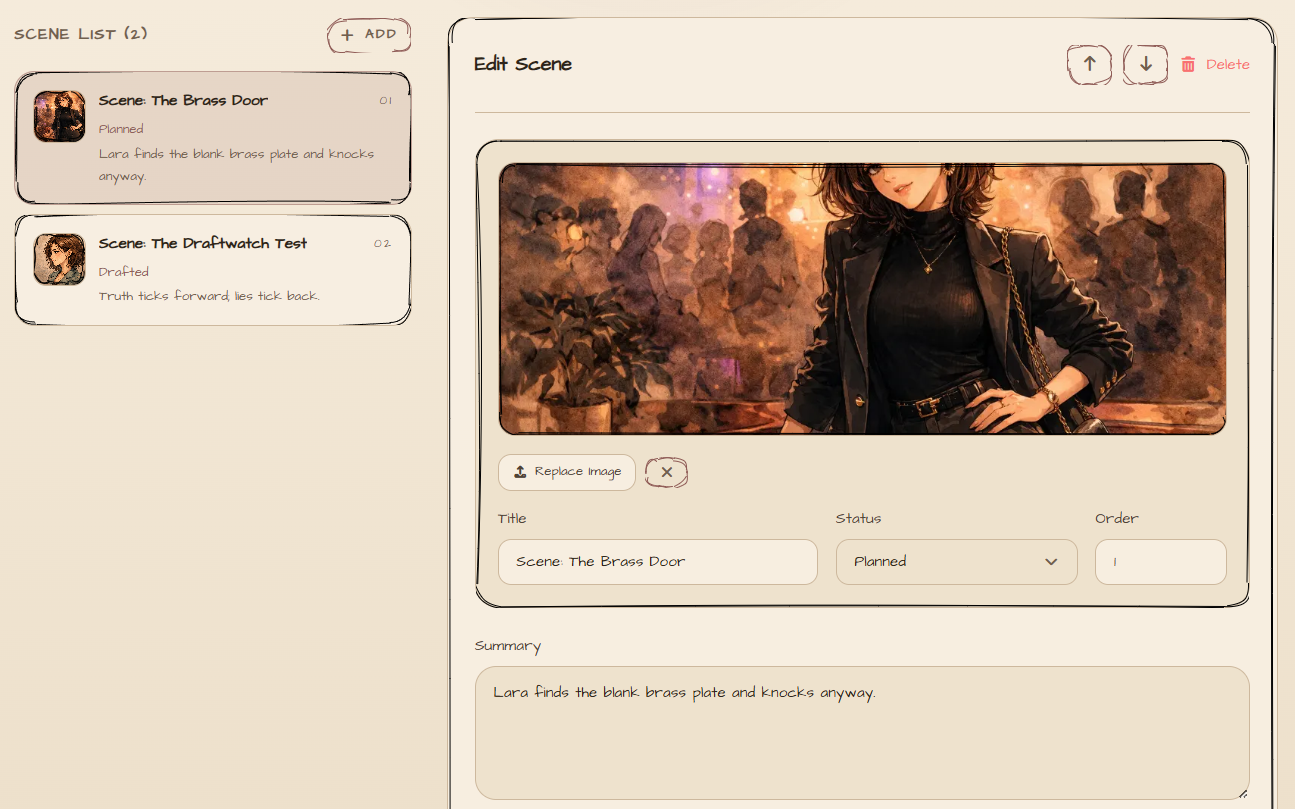
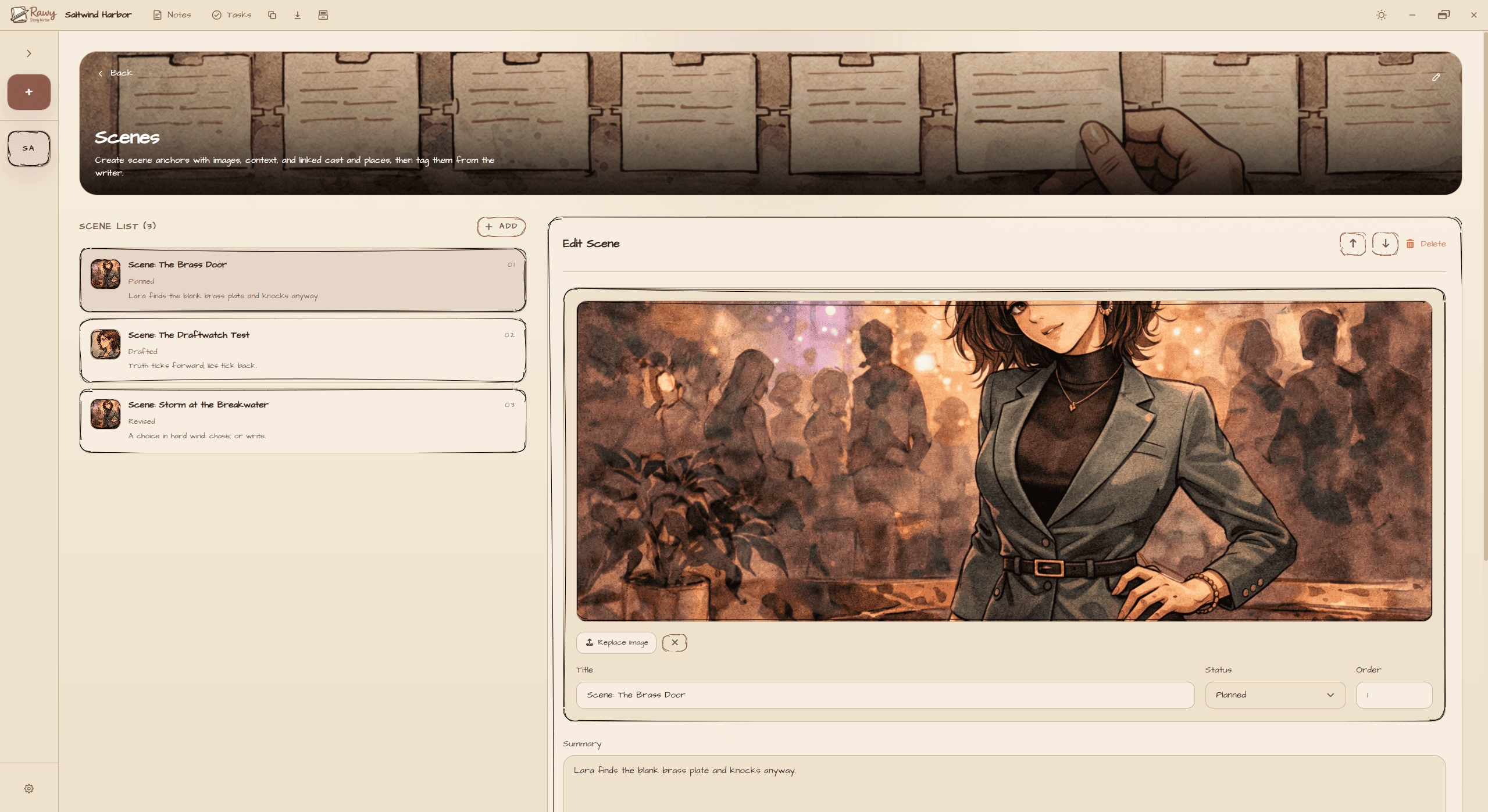
- Create scenes with status: Planned, Drafted, Revised.
- Add a scene image + write scene summary/details.
- Link each scene to its cast (characters) and locations (world places).
- Reference scenes from the writer using scene markers.
Tasks + Notes (and everything stays linked)
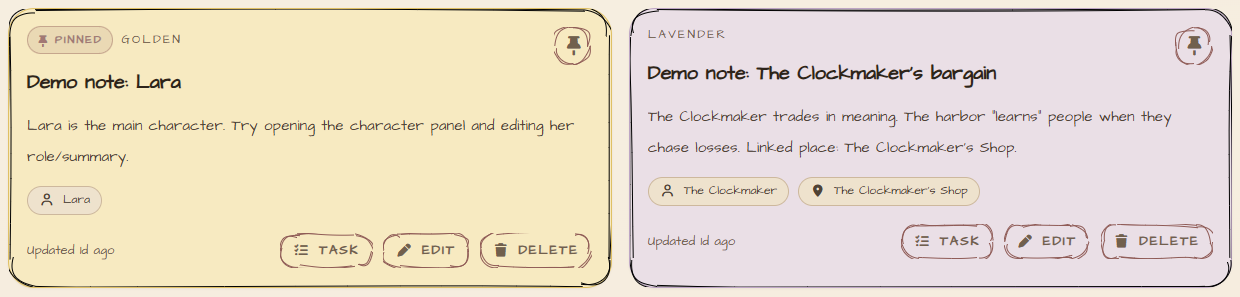
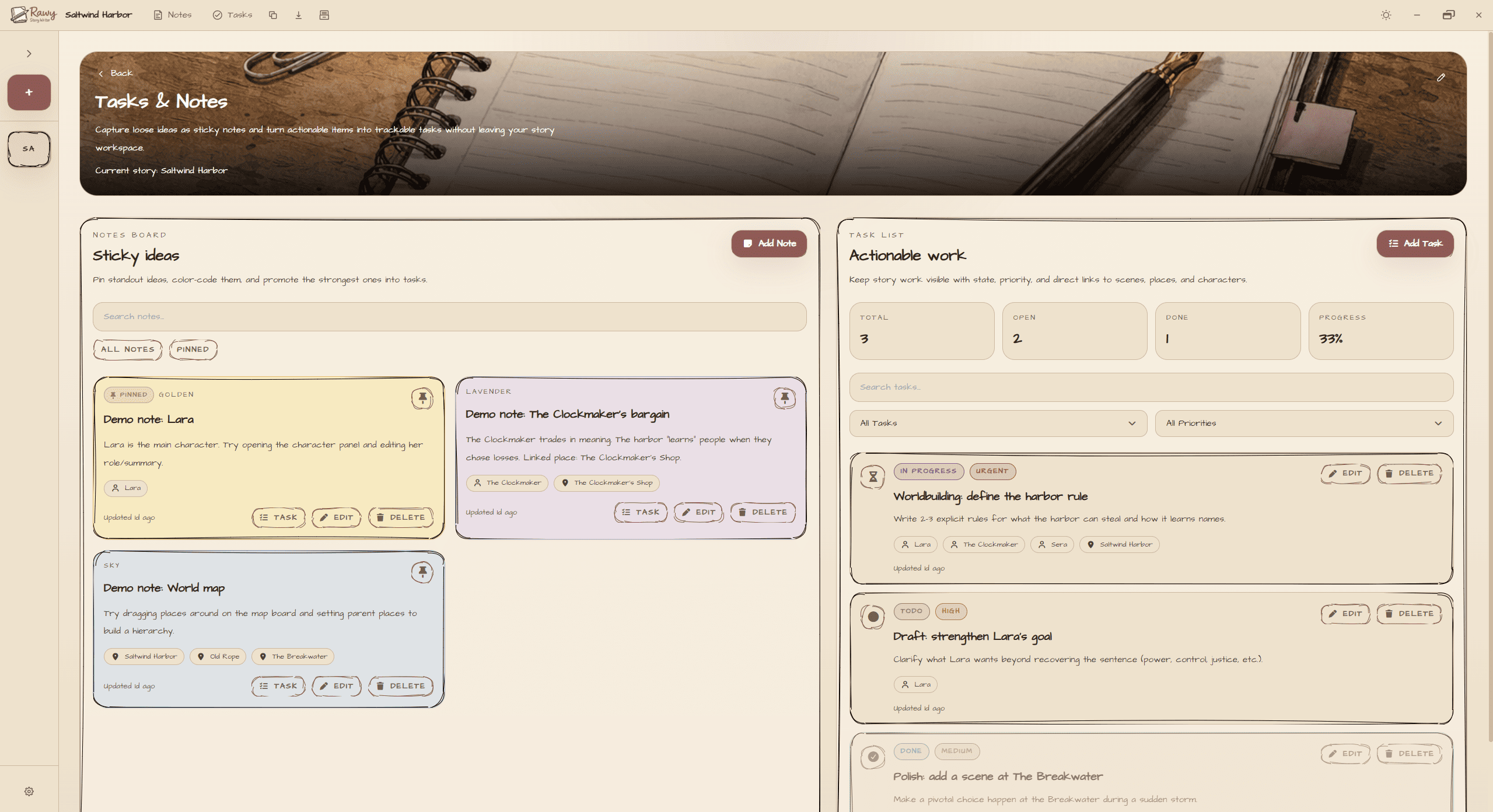
- Create notes, pin important ideas, and search/filter easily.
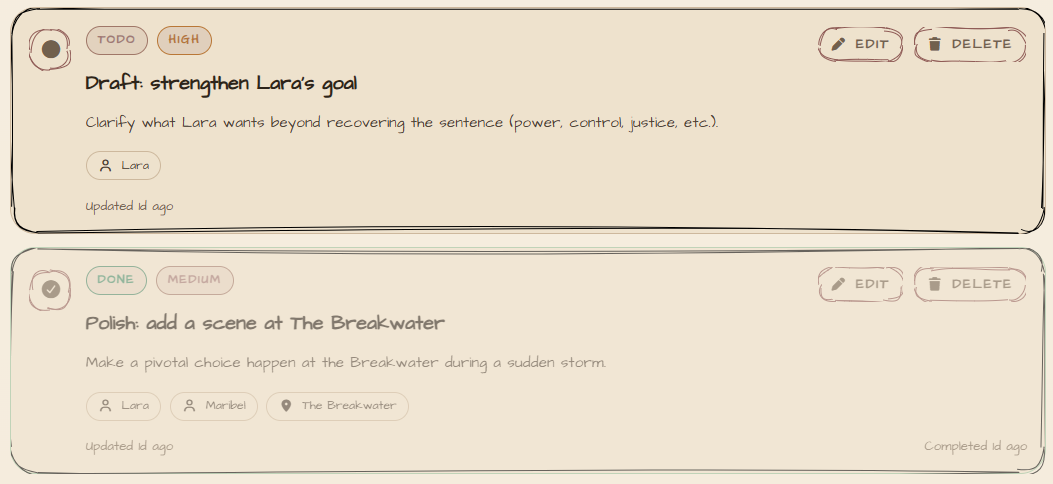
- Manage tasks with state (Todo, In Progress, Done) and priority (Low → Urgent).
- Link notes/tasks directly to characters, places, and scenes.
Export + backup
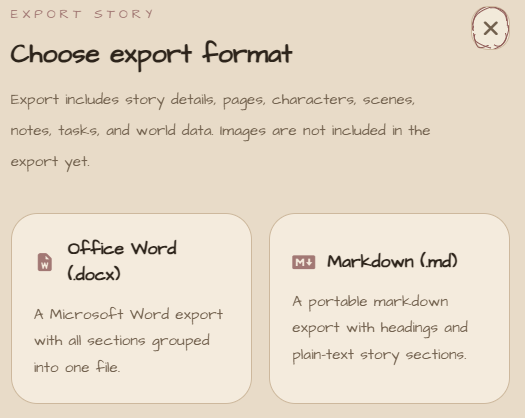
- Export your story to Markdown (.md) or Word (.docx).
- Exports include your story overview, story pages, characters, scenes, notes, tasks, and world data.
- Choose your local save folder and import a backup when needed.
Customization
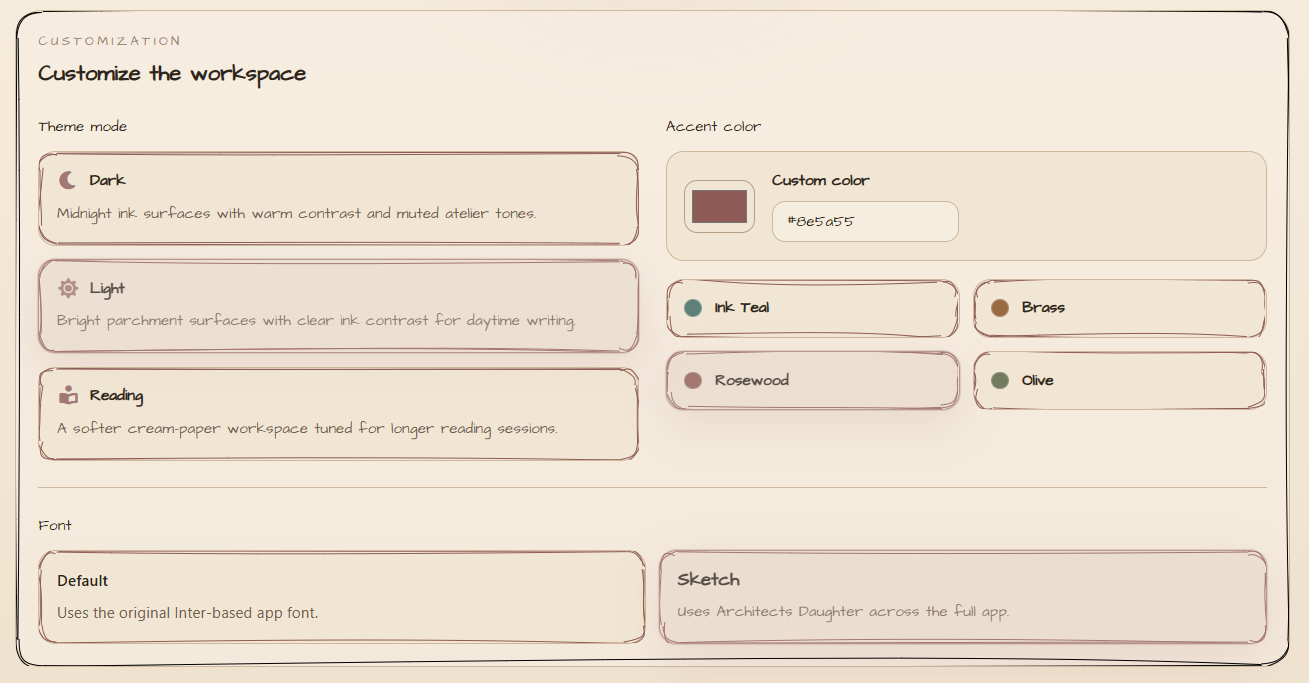
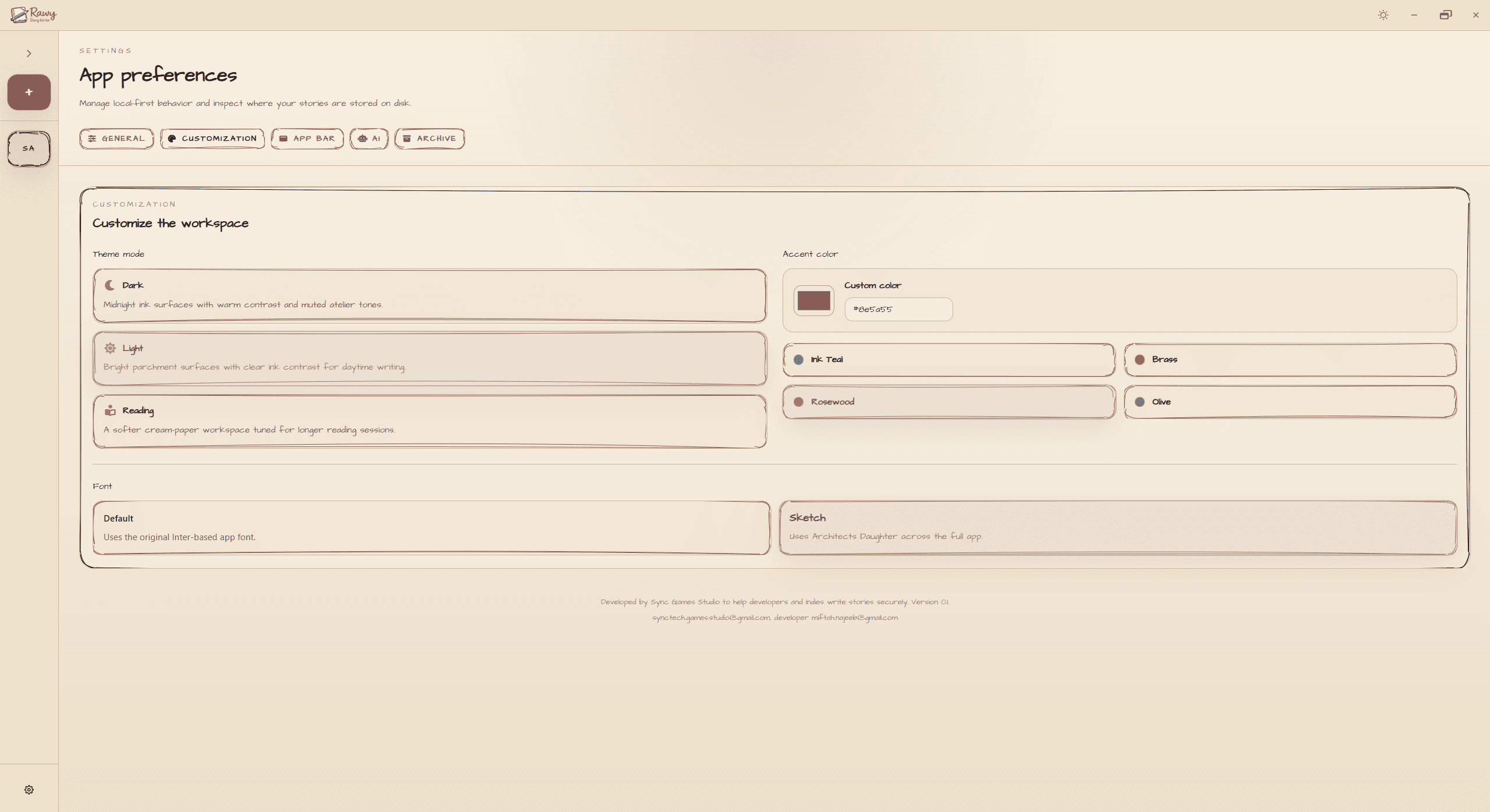
- Theme modes: Light, Dark, and Reading.
- Pick an accent color that matches your project.
- Switch between clean UI and sketch mode (hand-drawn vibe).
- Optional memory badge with a built-in performance monitor.
Perfect for
- Interactive fiction + branching story writers
- Visual novel writers & narrative game devs
- Novel/short story writers who want characters/world/scenes in one place
- Anyone who wants a private, offline-first writing workflow
Quick start workflow
- Create a story and start drafting pages.
- Add characters and locations as you introduce them.
- Tag mentions in your writing so references stay one hover away.
- Plan scenes and link cast + locations for instant context.
- Track tasks and notes tied to specific story elements.
- Export to DOCX/Markdown when you’re ready to share.
Coming on the next update:
In the next update, Rawy will add an optional AI Assist mode. You’ll be able to paste your own LLM API key in Settings and use it directly inside the app to:
- Autocomplete while writing (continue a paragraph in your style)
- Create full stories from scratch from a prompt, outline, genre, or target age
- Generate character profiles (names, traits, backstories, relationships)
- Generate scene help (beats, summaries, alternate versions, punch-up dialogue)
- Optionally generate character images and scene sketches (with your own image model key)
AI Assist will be optional and off by default.
Buy it with 1 time fees and own it forever, try it, and tell me what feature you want next.
Purchase
In order to download this tool you must purchase it at or above the minimum price of $4.50 USD. You will get access to the following files:
Comments
Log in with itch.io to leave a comment.
I truly love it! It makes story writing fun and effortless. The design is beautiful and the tools are incredibly helpful for writers. Great job.
Amazing tbh!
Thank you!
this's so useful and easy to use, features are great. I totally love it and recommend it 🤎
THANK YOU!!!